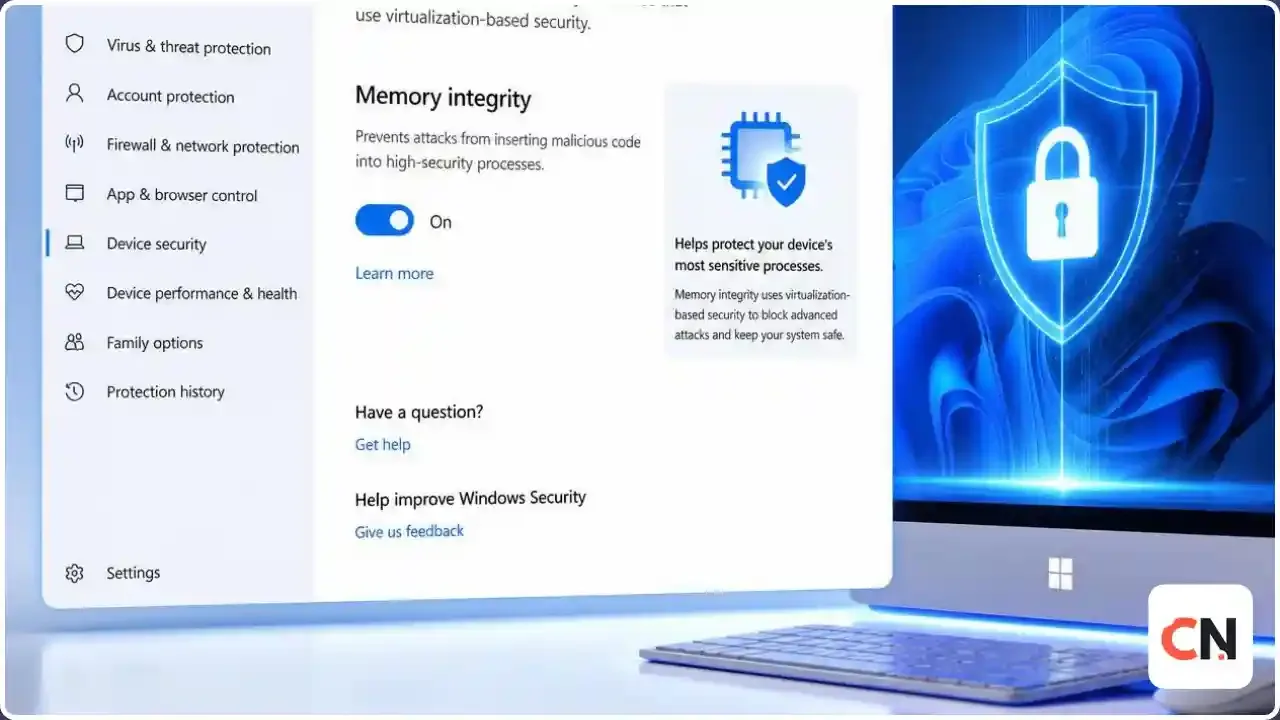
Windows 11 Memory Integrity Is Being Turned On for You: What to Check and What Can Break
What is happening, in three lines
Starting in October 2026, Windows 11 quality updates will begin switching Memory Integrity on for eligible PCs.
If you ever turned it off yourself, Microsoft says it will not turn it back on.
If something stops working afterwards, an old driver is the usual suspect, and you can turn the feature off in two clicks.
Microsoft announced on September 2, 2026 that it will enable Memory Integrity on more Windows 11 devices through regular quality updates. The rollout is gradual, so your PC may get it this month or later. This guide explains what the feature is, how to see if you already have it, and what to do if a driver or app complains.
What is Memory Integrity?
Memory Integrity is a security feature built on virtualization-based security (VBS). It is also called hypervisor-protected code integrity, or HVCI. It runs the part of Windows that checks kernel code inside an isolated virtual environment, so only trusted drivers and kernel level code are allowed to run. In plain terms, it makes it much harder for malware to tamper with the core of Windows through a bad or hijacked driver.
It is not new. Microsoft's own description says it is already on by default for Secured-core PCs and many clean installs of Windows 11. What changes is that more existing PCs will now get it automatically.
Which PCs will get it?
Microsoft says Windows will check each device before enabling the feature, looking at three things:
- Hardware support
- Driver compatibility
- Performance impact
Microsoft's documentation recommends recent processors, namely Intel Kaby Lake or newer and AMD Zen 2 or newer. Microsoft also admits that older hardware can see a performance hit, while newer Intel and AMD chips handle the feature better.
Will it be forced on everyone?
No. Microsoft states it will not automatically re-enable Memory Integrity on devices where a user or an IT admin has already disabled it. Your own choice is respected.
How to check if Memory Integrity is on
- Open Windows Security.
- Go to Device security.
- Click Core isolation details.
- Look at the Memory integrity switch. On means you are protected.
IT admins can also check VBS and Memory Integrity status with msinfo32.exe (look in the System Summary) or with this PowerShell command:
Get-CimInstance -ClassName Win32_DeviceGuard -Namespace root\Microsoft\Windows\DeviceGuardWhat can break?
Microsoft warns that some applications and device drivers may be incompatible with Memory Integrity. Depending on the driver, symptoms can include a device not working, an app crashing, or in the worst case a blue screen or a boot failure. Older tools that install their own low level drivers, such as some hardware utilities and anti-cheat or overclocking software, are the type most likely to run into trouble. That last point is general background on how driver checks work, not a Microsoft list.
If Windows finds a driver it cannot load, it will normally tell you in the Memory integrity page, which lists the incompatible drivers.
How to fix problems
- Update the driver. Open Device Manager, find the device and update its driver, or get the latest one from the maker's site.
- Update or remove the app that installed the old driver.
- Turn Memory Integrity off only if you have no other fix: Windows Security > Device security > Core isolation details, then switch Memory integrity to Off and restart.
If your PC will not boot after a change, Microsoft documents a recovery path: boot into Windows Recovery Environment and disable the feature with this registry command, then restart.
reg add "HKLM\SYSTEM\CurrentControlSet\Control\DeviceGuard\Scenarios\HypervisorEnforcedCodeIntegrity" /v "Enabled" /t REG_DWORD /d 0 /fLeaving it off lowers your protection, so treat it as a temporary step while you replace the driver.
Should you keep it on?
For most people, yes. It blocks a whole class of driver based attacks, and Microsoft is making it the default for a reason. If you are a gamer or work with specialist hardware and see problems, check your drivers first. For a wider look at Windows protection, see our guide to UEFI and Windows 11 security features.
Latest Updates
- October 2026: Microsoft says the rollout begins this month through Windows 11 quality updates, spread out over time. We could not confirm which exact update first carries the change.
- September 2, 2026: Microsoft announced the plan to enable Memory Integrity on eligible Windows 11 devices (Message Center ID MC1465669).
We will update this section when Microsoft publishes the exact build.
FAQ
What is Memory Integrity in Windows 11?
It is a VBS based security feature that lets only trusted drivers and kernel code run, protecting Windows from tampering.
Will Memory Integrity slow down my PC?
It can on older hardware. Microsoft says newer Intel and AMD processors handle it better, and that Windows weighs performance impact before turning it on.
Is Memory Integrity the same as core isolation?
Core isolation is the settings area in Windows Security. Memory integrity is one feature inside it.
Can I turn Memory Integrity off?
Yes, from Windows Security under Core isolation details. Microsoft will not re-enable it on a device where it was already disabled.
How do I know if a driver is blocking it?
The Memory integrity page lists incompatible drivers that stop it from being enabled. Update or remove them.
Does this affect Windows 10?
Microsoft's documentation says the feature is supported on Windows 10 as well, but this rollout is described for eligible Windows 11 devices.

Sia is the co-founder of Corenexis and one of the earliest voices shaping its editorial direction. With years of hands-on experience covering AI and technology, she has been writing about the digital world long before it became everyone's favorite topic — and she still does it better than most.
View all posts by Sia →


0 Comments
Community guidelines
We want the comments to be useful for every reader. Every comment is reviewed before it is published. A comment will not be approved if it is:
Keep it genuine and on-topic and it will be approved quickly. Thank you for helping keep the discussion clean.