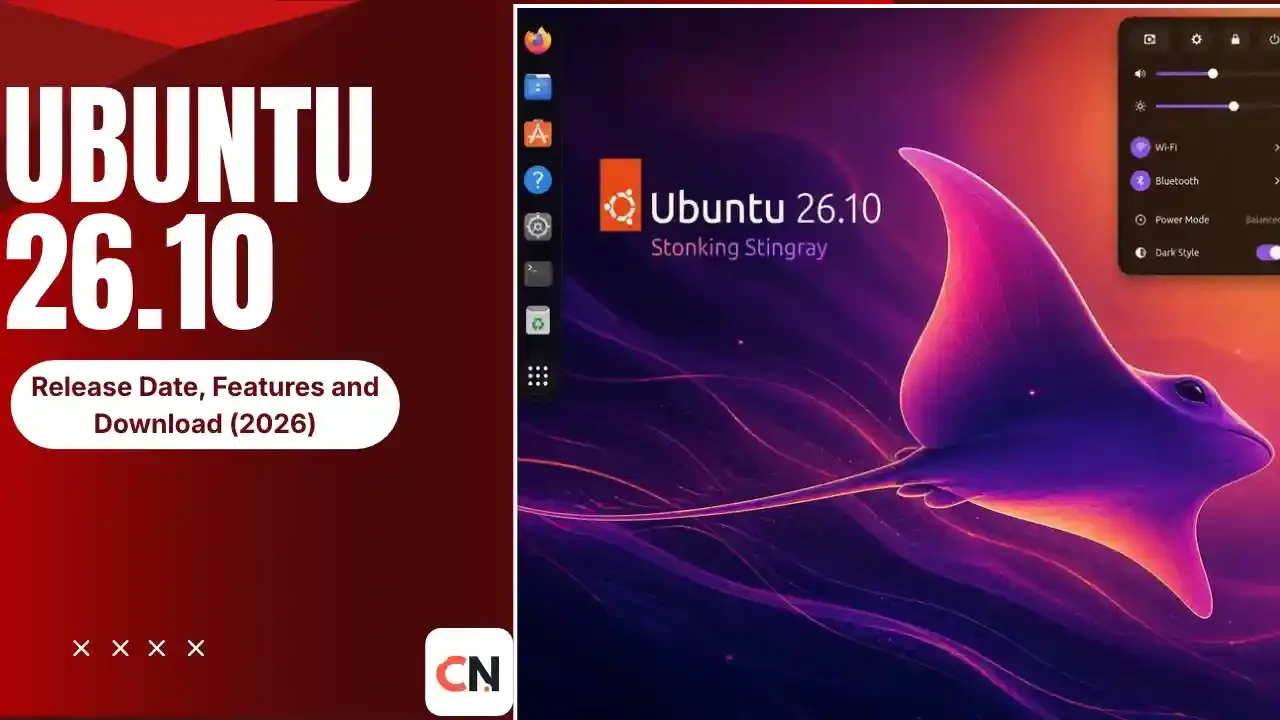
Ubuntu 26.10 Release Date, Features and Download (2026)
Ubuntu 26.10, codenamed "Stonking Stingray," is almost here. The beta is out, the final release is scheduled for October 15, and there is a lot to know before you upgrade. Here is everything you need to know.
Release Countdown
| Question | Answer |
|---|---|
| Release date | October 15, 2026 (scheduled) |
| Codename | Stonking Stingray |
| Kernel | Linux 7.3 |
| Desktop | GNOME 51 |
| Type | Interim release (not LTS) |
| Support | 9 months, until July 2027 |
| Beta status | Out since October 1, one week late |
The date is a schedule, not a guarantee. The beta was already delayed by a week, so check Ubuntu's official release page on launch day.
When Is Ubuntu 26.10 Released?
Ubuntu 26.10 is scheduled for October 15, 2026. The original plan had the beta on September 24, but it arrived on October 1, about seven days late. Reports on the beta still list October 15 for the stable version, "barring any unforeseen complications."
Key dates from the schedule:
| Milestone | Date |
|---|---|
| Feature freeze | August 20, 2026 |
| User interface freeze | September 10, 2026 |
| Beta (planned) | September 24, 2026 |
| Beta (actual) | October 1, 2026 |
| Final release | October 15, 2026 |
What Is Ubuntu 26.10?
Ubuntu releases a new version every six months. Versions ending in .04 in even years are long-term support (LTS) releases. Ubuntu 26.10 is an interim release. It gets nine months of updates and works as a testing ground for what will land in the next LTS, Ubuntu 28.04. If you want stability for years, an LTS is the safer pick. If you like newer software, an interim release suits you.
New Features in Ubuntu 26.10
Linux kernel 7.3 and GNOME 51
Ubuntu 26.10 ships with Linux 7.3 and GNOME 51. The beta lists Linux 7.3 as still in development, and it also includes Mesa 26.2.
GNOME 51 improvements
Reported changes include better window tiling (with a visual layout picker when you drag windows), automatic screen rotation support, improved screenshot selection, a restored power-off dialog, better search stability and a rebuilt Calendar app.
Redesigned installer and first-boot setup
The installer gets simpler partitioning with safe defaults and guided steps, followed by a first-boot onboarding screen for personalizing your system.
Rust-based core tools
Ubuntu keeps moving core tools to Rust. sudo-rs has been the default since Ubuntu 25.10. Two reports say the basic cp, mv and rm commands now come from a Rust implementation in 26.10. Sequoia PGP, a Rust OpenPGP library, is also reported to join the main archive.
dbus-broker
One report says Ubuntu is switching from dbus-daemon to dbus-broker for better performance under heavy load.
Local speech-to-text with Myna
A reported new tool called Myna offers local push-to-talk speech-to-text, so your voice is processed on your machine.
App Center and hardware tools
The App Center gets expanded driver management and unified handling of DEB, Snap and other package formats. A new hwctl command-line tool checks whether your device is certified for Ubuntu, and Settings gets a certification check panel.
Better low-memory handling
The beta notes improved handling of low-memory situations so your session is less likely to be killed too early.
Hardware and architecture support
26.10 is the first release with official images optimized for x86-64-v3. RISC-V gets a full desktop experience on RVA23-compliant hardware.
New wallpapers
Twelve community-selected wallpapers are included across three categories.
Compatibility Warning: Legacy NVIDIA Drivers
One report says legacy NVIDIA drivers no longer work in this release, because GNOME 51 removed the code that supported them. I found this in only one source, and it did not say which GPUs are affected. If you have an older NVIDIA card, check the official release notes before you upgrade.
How to Download Ubuntu 26.10
Standard images for Desktop, Server and WSL will be on Ubuntu's official releases site. Alternative builds, such as amd64v3 and arm64, are hosted separately. The beta is explicitly not meant for production use, so wait for the final release for your main machine. If you are creating a bootable USB, see our guides on checking UEFI mode and MBR vs GPT first.
How to Upgrade From an Older Ubuntu
Once 26.10 is released, upgrade from the command line:
sudo do-release-upgradeIf you are on an LTS release, Ubuntu offers only the next LTS by default. To see interim releases, open /etc/update-manager/release-upgrades and set Prompt=normal. Back up your files first, and remember that 26.10 loses support in July 2027, so you will need to move to a newer version later.
Should You Upgrade?
| You are... | Suggestion |
|---|---|
| A server or work-machine user who needs stability | Stay on an LTS release |
| A desktop user who wants the newest GNOME and kernel | Upgrade after launch |
| Using an older NVIDIA GPU | Check the release notes first |
| Curious but cautious | Try it in a virtual machine or on a spare disk |
Linux's role in modern development is also growing. Read what Linus Torvalds said about AI tools in our post on his Linux AI stance.
Latest Updates
- Sept 24: Planned date for the Ubuntu 26.10 beta.
- Oct 1: Beta released one week late, with Linux 7.3 and GNOME 51.
- Oct 15: Scheduled date for the final release.
Frequently Asked Questions
When is Ubuntu 26.10 released?
It is scheduled for October 15, 2026. The beta was one week late, so confirm the date on Ubuntu's official release page.
What is the codename for Ubuntu 26.10?
Stonking Stingray.
Is Ubuntu 26.10 an LTS release?
No. It is an interim release with nine months of support, until July 2027.
What kernel and desktop does Ubuntu 26.10 use?
Linux 7.3 and GNOME 51.
Can I download Ubuntu 26.10 now?
A beta is available for testing, but it is not meant for production use. The final images arrive on release day.
Does Ubuntu 26.10 support older NVIDIA graphics cards?
One report says legacy NVIDIA drivers no longer work because of GNOME 51 changes. Check the official release notes for your GPU before upgrading.

Sia is the co-founder of Corenexis and one of the earliest voices shaping its editorial direction. With years of hands-on experience covering AI and technology, she has been writing about the digital world long before it became everyone's favorite topic — and she still does it better than most.
View all posts by Sia →
0 Comments
Community guidelines
We want the comments to be useful for every reader. Every comment is reviewed before it is published. A comment will not be approved if it is:
Keep it genuine and on-topic and it will be approved quickly. Thank you for helping keep the discussion clean.