 Sia
In this article
- What the Outlook "Something went wrong" error looks like
- Is Outlook down right now? What Microsoft has confirmed
- Why Outlook went down
- Which Microsoft services are affected
- How to check if the problem is on your side
- What you can do while Outlook is down
- When will Outlook be back?
- What this outage teaches teams that depend on Microsoft 365
- Frequently asked questions
Quick answer
Yes, Outlook is down for many people right now. A Microsoft 365 outage that began on Thursday, 12 November 2026, around 16:00 GMT is still affecting Outlook, Teams, Copilot and other Microsoft 365 services in many countries on Friday, 13 November. If you see "Something went wrong" with a "Refresh the application" button, the problem is on Microsoft's side, not your computer.
Outlook down reports started climbing on Thursday evening and kept coming through Friday morning in Asia and Europe. Users on the web version at outlook.live.com and outlook.office.com see a blue "Something went wrong. Please try the recommended action below." page, while the desktop and mobile apps keep trying to connect or show mail that never finishes loading. This guide explains what is happening, how to tell whether the fault is yours or Microsoft's, and what you can do while the service recovers.
What the Outlook "Something went wrong" error looks like
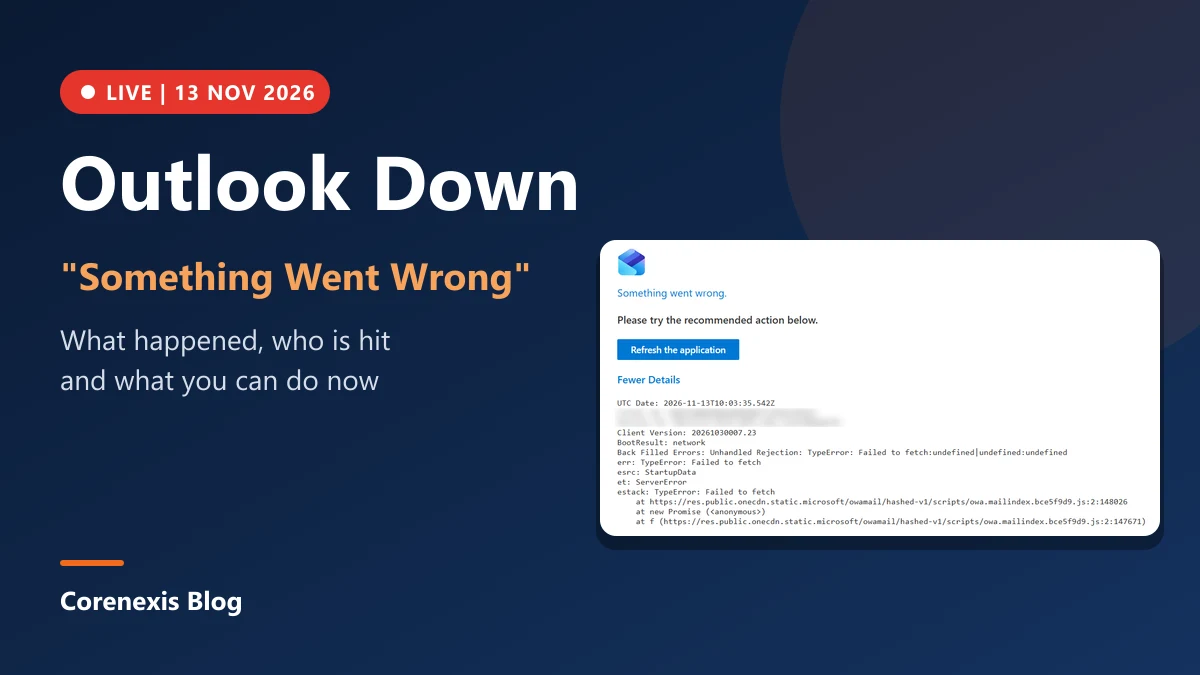
Here is the error page we got on outlook.live.com on 13 November 2026 at 10:03 UTC. The account-specific IDs are blurred.
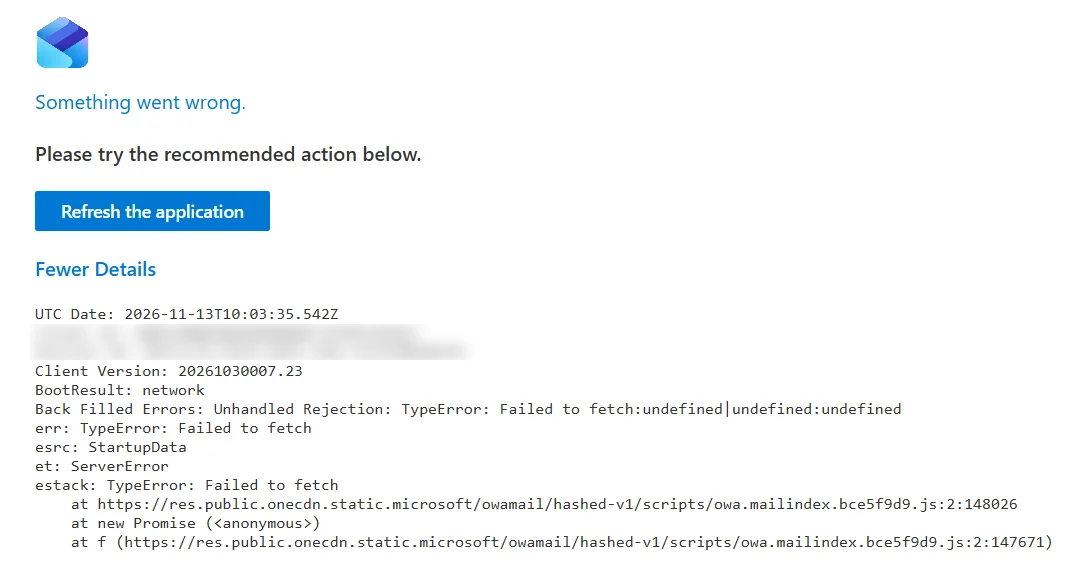
If you click Fewer Details (or More Details), the page lists technical lines. The ones that matter are:
- BootResult: network: Outlook could not load the startup data it needs to open your mailbox.
- TypeError: Failed to fetch: the browser sent a request to Microsoft's servers and got no usable reply.
- esrc: StartupData and et: ServerError: the failure happened on the server side while Outlook was starting.
Put together, these lines say that your browser and internet connection are fine, but the Outlook service could not answer. Pressing "Refresh the application" again and again will not fix it until Microsoft's servers recover.
Is Outlook down right now? What Microsoft has confirmed
Microsoft has acknowledged the problem on its Microsoft 365 Status account on X. In its updates the company said it was investigating reports of users who could not reach Exchange Online mailboxes through several connection methods. It later confirmed that the issue could affect Microsoft 365 connectivity for users in any region. The incident IDs to look for in the Microsoft 365 admin center are:
- EX1550543: Exchange Online and Outlook mailbox access.
- TM1550488: Microsoft Teams features.
In a later update Microsoft said its automated recovery had started to restore service and that its telemetry showed impact going down. Recovery has been uneven, though. Several reports say servers brought back online failed again as soon as traffic returned, which is why some people get in for a few minutes and then lose access again.
Why Outlook went down
According to Microsoft's status updates as reported in the press, a large number of servers became unavailable at once. The remaining servers then had to carry the extra load, began failing their automatic health checks, and dropped out too. Reports also point to a core process that handles secure connections on the affected servers getting overwhelmed. Engineers isolated parts of the infrastructure, changed how health checks work and set up automatic restarts for servers that stopped responding.
Microsoft has said there is no sign that a cyberattack caused the outage. That matters: you do not need to change your password or assume your account was hacked just because Outlook will not load today.
Which Microsoft services are affected
This is not only an email problem. Services reported as disrupted include:
- Outlook on the web, the Outlook desktop app and Outlook mobile
- Exchange Online, with email delivery delayed
- Microsoft Teams: chats and calls mostly work, but calendar, live events and contact sync have problems
- Microsoft 365 Copilot
- SharePoint Online, Planner, To Do, Intune, Purview, Power BI and Microsoft Defender XDR
Outage tracker Downdetector logged around 130,000 Outlook problem reports at the peak, with thousands more for Teams and Copilot. Reports came from at least 74 countries, including the United States, the United Kingdom, India, Australia and New Zealand. In India, airlines such as IndiGo, Air India and Akasa Air said their email support was affected, although flights were not.
How to check if the problem is on your side
Before changing settings, spend one minute on these checks:
- Open another website. If other sites load normally, your internet connection is fine.
- Check the Microsoft 365 Status account on X (@MSFT365Status) or the public status page at status.cloud.microsoft. If there is an active incident, the fault is Microsoft's.
- Work accounts: ask your IT admin to look up EX1550543 in the Microsoft 365 admin center under Service health. It shows the latest status for your organisation.
- Try another device or network. If Outlook fails on your phone over mobile data and on your laptop over Wi-Fi, the service is the problem.
What you can do while Outlook is down
There is no setting that fixes a server-side outage, but you can keep working:
- Do not reset your password or remove your account. It will not help, and re-adding an account during an outage can fail halfway and leave the app in a worse state.
- Use the desktop app in offline mode. Classic Outlook for Windows keeps a local copy of your mailbox (cached Exchange mode), so you can still read older email and draft replies. Drafts are sent once the connection returns.
- Check the Outbox later. Messages sent during the outage may sit in the Outbox or arrive late. Do not send them again right away, or people may get duplicates.
- Move urgent conversations elsewhere. Call, use a messaging app or a personal email account for anything time-sensitive, and tell the other person why.
- Refresh every 15 to 30 minutes, not every few seconds. Constant reloads do not speed up recovery.
- Clear the cache only after the outage ends. If Outlook on the web still shows the error once Microsoft reports the incident resolved, sign out, clear the site data for outlook.live.com or outlook.office.com, and sign in again.
When will Outlook be back?
Microsoft has not given a firm time. Its latest updates say automatic recovery is reducing impact, so most people should regain access step by step rather than all at once. You might be able to open your mailbox while a colleague still sees the error. Email that was delayed should be delivered once Exchange Online catches up, though it may arrive out of order.
We will update this article as Microsoft posts new information.
What this outage teaches teams that depend on Microsoft 365
An outage this long shows how much daily work depends on a single provider. A few habits make the next one easier:
- Keep a second way to reach your team and key customers that does not run on the same platform.
- Turn on cached or offline mode in your mail app so recent email is always available locally.
- Write down where your admins check service health and who tells staff what is happening.
- For important automated mail such as invoices, OTPs and alerts, use a sending service that is separate from your staff mailboxes, so customer email keeps flowing when the office suite is down.
For more on Microsoft's recent changes, read our guide to the Microsoft Copilot super app.
Frequently asked questions
Is Outlook down today?
Why does Outlook say "Something went wrong"?
Was the Microsoft outage a cyberattack?
Will I lose the emails sent to me during the outage?
Should I reinstall Outlook or reset my password?

Sia
Sia is the co-founder of Corenexis and one of the earliest voices shaping its editorial direction. With years of hands-on experience covering AI and technology, she has been writing about the digital world long before it became everyone's favorite topic — and she still does it better than most.
Comments (0)
Be kind and stay on topic. Comments are reviewed before they appear; links are shown as plain text.
Loading comments…