
Is Kling AI Worth It? In-Depth Analysis of Features and Pricing
AI video generation has exploded in 2026, and among the crowd of tools promising to turn your text into cinematic videos, Kling AI has emerged as a serious contender. Developed by Kuaishou Technology—the company behind China's massive short-video platform—Kling AI claims to deliver professional-grade video generation at a fraction of traditional production costs.
But here's the million-dollar question: Is Kling AI actually worth your money?
If you've been researching AI video tools, you've probably noticed the hype around Kling AI's photorealistic output and its ability to generate videos up to 2 minutes long. You've also probably noticed the confusing credit system, mixed reviews about pricing, and heated debates comparing it to Runway, Pika, and other competitors.
This article cuts through the noise. We'll break down exactly what Kling AI offers, how much it actually costs (including hidden expenses), how it stacks up against alternatives, and most importantly—whether it's worth the investment for YOUR specific needs.
By the end, you'll have a clear answer to whether Kling AI deserves a spot in your creative toolkit.
Read Now: How Manus AI is Redefining Automation in 2026
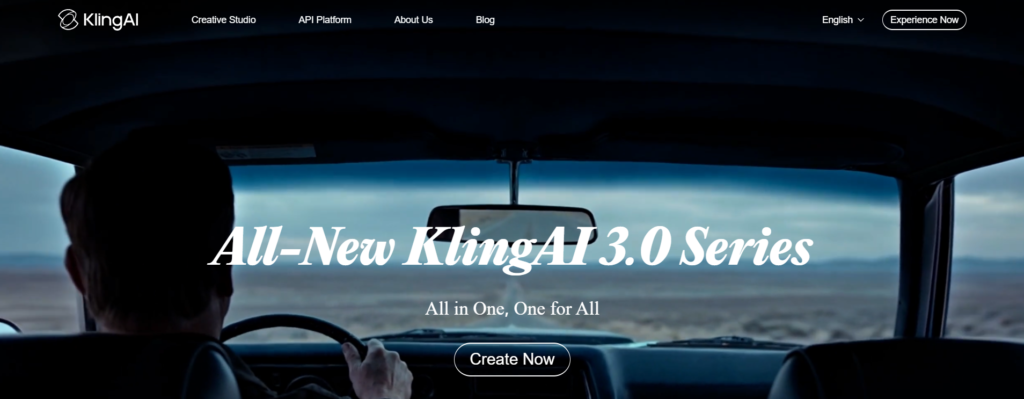
What is Kling AI?
Kling AI is an AI-powered video generation platform that transforms text prompts and static images into high-quality video clips. Think of it as having a film crew in your pocket—except instead of cameras, actors, and locations, you're working with advanced machine learning models that create realistic video content from scratch.
Launched globally in June 2024, Kling AI uses a diffusion-based transformer architecture combined with a 3D variational autoencoder (VAE) to produce videos that simulate real-world physics, lighting, and motion. Translation: it creates videos that don't look like weird AI experiments.
The platform has gone through multiple iterations—Kling 1.0, 1.5, 1.6, 2.0, 2.1, and most recently Kling 3.0 (released February 2026). Each version has improved video quality, extended maximum duration, and enhanced motion realism.
How Does It Work?
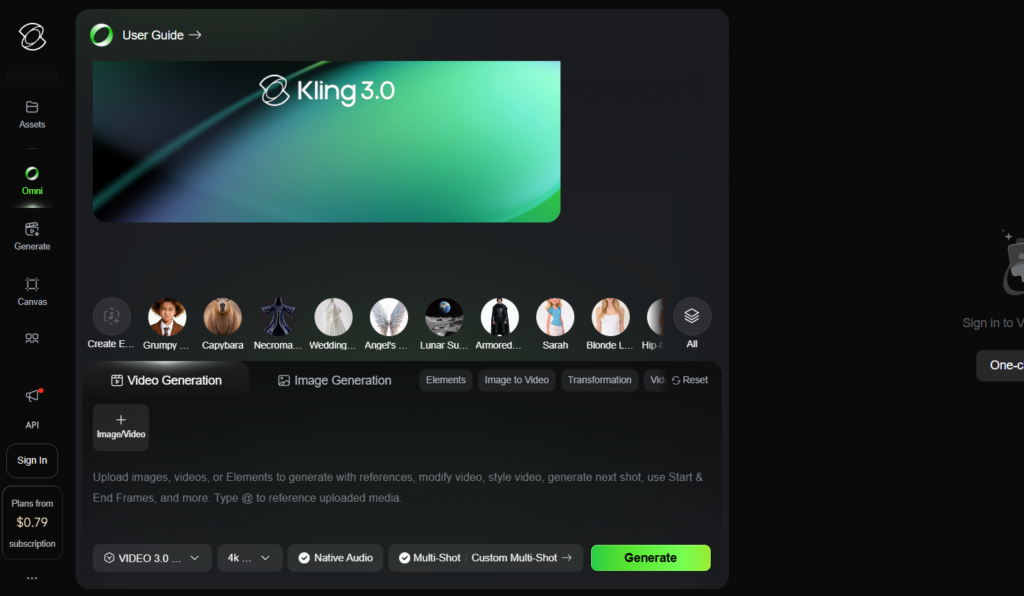
Kling AI operates through two primary generation modes:
1. Text-to-Video: You provide a written description like "a golden retriever wearing sunglasses surfing at sunset," and Kling AI generates a video clip matching that description.
2. Image-to-Video: You upload a static image, and Kling AI animates it with realistic motion while maintaining visual consistency.
The platform also offers advanced features like video extension (stretching clips up to 2 minutes), lip-syncing for character dialogue, and camera motion controls for cinematic effects.
Who Makes It?
Kling AI is developed by Kuaishou Technology, a Beijing-based tech giant founded in 2011. Kuaishou operates one of China's largest short-video platforms (similar to TikTok) with over 600 million users. This background in video technology and massive data infrastructure gives Kling AI a significant advantage in understanding what makes video content engaging.
Key Features of Kling AI
Let's break down what Kling AI actually does—and more importantly, what makes it different from just typing "video generator" into Google and hoping for the best.
1. Text-to-Video Generation
This is the flagship feature. You describe what you want in plain English, and Kling AI generates a video clip.
What You Get:
- Videos up to 1080p resolution
- 30 frames per second (FPS) for smooth motion
- Duration options: 5 seconds or 10 seconds per generation
- Ability to extend videos up to 2 minutes total
How Well Does It Work?
Based on real-world testing and user reviews, Kling AI excels at creating videos with natural motion and realistic physics. Where many AI video tools produce floaty, disconnected movements, Kling AI handles complex actions like running, jumping, and facial expressions with impressive accuracy.
The catch? You need to be specific with your prompts. Vague descriptions produce vague results. The more detailed you are about camera angles, lighting, movement, and scene composition, the better your output.
2. Image-to-Video Animation
Upload a photo, and Kling AI brings it to life with motion.
What You Get:
- Consistent visual quality (the image doesn't morph into something unrecognizable)
- Realistic physics-based movement
- Natural lighting adjustments as objects move
- Support for various image styles (photographs, artwork, 3D renders)
Real Use Cases:
- Animating product photos for e-commerce
- Bringing historical photos to life for documentaries
- Creating dynamic social media content from static graphics
- Animating character art for storytelling
3. Video Extension
One of Kling AI's standout features: you can extend generated clips beyond the initial 5-10 seconds.
How It Works
Generate a base clip, then use the extension feature to continue the scene seamlessly. You can chain multiple extensions to create videos up to 2 minutes long—far longer than most competitors.
Why This Matters
Most AI video tools cap at 10-16 seconds. If you need longer content for YouTube intros, product demos, or educational videos, Kling AI's extension feature becomes invaluable.
The Trade-off
Extensions consume additional credits (approximately 35 credits per 5-second extension), so longer videos get expensive fast.
4. Lip Sync and Audio Integration
Kling AI 2.6 introduced native audio generation, meaning the platform can create synchronized sound effects and dialogue to match your video.
What This Includes
- Text-to-Speech (TTS) voiceover with multiple voice options
- Lip-syncing for character animations
- Background sound effects matched to scene action
Current Limitations
While innovative, the audio feature is still evolving. Many professional creators prefer to generate silent video through Kling AI and add custom audio in post-production for more control.
5. Camera Motion Controls
Want your video to feel cinematic? Kling AI offers camera movement presets:
- Dolly shots (moving toward or away from subject)
- Pan movements (horizontal camera motion)
- Tilt adjustments (vertical camera angle)
- Zoom controls
- Static locked shots
This level of control is rare in AI video generators and helps create more polished, professional-looking content.
6. Multiple Quality Modes
Kling AI offers two generation modes:
Standard Mode: Faster generation, lower credit cost, good quality for most social media content.
Professional Mode: Higher quality output, more detailed textures, better lighting—but costs significantly more credits (35 vs. 10 for a 5-second video).
Read Now: Google–Character.AI Settlement: When AI Chatbots Became Dangerous for Teenagers
Kling AI Pricing: The Complete Breakdown
Here's where things get complicated. Kling AI operates on a credit-based system, and understanding the true cost requires looking beyond the monthly subscription price.
The Pricing Plans
Kling AI offers four main subscription tiers:
Free Plan - $0/month
- 66 free credits per day (resets daily, doesn't roll over)
- Standard generation speed (long queue times)
- Videos include Kling AI watermark
- No commercial usage rights
- Limited to 5-second videos
Best For: Testing the platform, learning prompt engineering, experimenting with ideas.
Standard Plan - $6.99 - $10/month
- 660 monthly credits
- Can create approximately 33 standard videos (5 seconds each)
- Or 18 professional-quality videos
- No watermark
- Commercial usage rights included
- Access to 720p resolution
- Priority queue (faster generation)
Best For: Casual creators making 5-10 videos per month for social media.
Pro Plan - $37/month
- 3,000 monthly credits
- Approximately 150 standard videos or 85 professional videos
- 1080p resolution support
- Higher priority in generation queue
- Access to video extension features
- Commercial rights included
Best For: Content creators, freelancers, small marketing teams producing regular video content.
Premier Plan - $92/month
- 8,000 monthly credits
- Approximately 400 standard videos or 228 professional videos
- Highest priority processing
- Full feature access including early releases
- 1080p output
- Commercial rights
Best For: Agencies, production teams, or high-volume creators generating 100+ videos monthly.
Ultra Plan - $180/month
- 26,000 monthly credits
- Approximately 1,300 standard videos or 742 professional videos
- Maximum priority processing
- Dedicated support channel
- All premium features
Best For: Professional studios with consistent, high-volume production needs.
Understanding Credit Consumption
The tricky part: not all videos cost the same credits. Your actual cost per video depends on:
- Duration: 5 seconds vs. 10 seconds
- Quality Mode: Standard vs. Professional
- Resolution: 720p vs. 1080p
- Features Used: Basic generation vs. extensions, lip-sync, etc.
Typical Credit Costs:
- 5-second video (Standard mode, 720p): 10 credits
- 5-second video (Professional mode, 1080p): 35 credits
- 10-second video (Standard mode): 20 credits
- 10-second video (Professional mode): 70 credits
- Video extension (5 seconds): 35 credits
Real Cost Example
Let's say you're on the Pro Plan ($37/month, 3,000 credits).
If you generate 10-second professional-quality videos:
- Each video costs 70 credits
- You can create approximately 42 videos per month
- Cost per video: $0.88
If you generate 5-second standard videos:
- Each video costs 10 credits
- You can create 300 videos per month
- Cost per video: $0.12
Read Now: Google Gemini 3.0 Flash: Fast AI for Developers
The Hidden Costs Nobody Talks About
1. Failed Generations
If your prompt is rejected, the generation fails mid-render, or the output is unusable, those credits are GONE. No refunds. Users report losing 50-100+ credits on failed attempts, particularly when trying complex scenes or adding text elements.
2. Iteration Costs
Professional results rarely come from the first generation. Expect to generate 3-5 versions per usable clip. This means your effective cost per final video is 3-5x the base credit cost.
3. No Credit Rollover
Unused credits expire at the end of each billing cycle. If you have a slow month, you lose those credits—there's no carrying them forward.
4. Extension Pricing
That 2-minute video capability sounds great, until you realize each 5-second extension costs 35 credits. A 2-minute video requires 23 extensions, consuming 805 credits—more than your entire monthly Standard plan allocation for ONE video.
5. API Access Costs
If you're a developer wanting to integrate Kling AI into your application, the pricing model completely changes. API access requires pre-paid resource packages valid for only 90 days, with single 10-second professional videos potentially costing $1 per generation.
Comparing Pricing to Real Costs
Let's put this in perspective:
Traditional Video Production:
- Hiring a videographer: $500-2,000 per day
- Stock footage: $50-200 per clip
- Animated explainer video: $1,000-5,000
Kling AI Pro Plan:
- $37/month for 42 professional 10-second clips
- Effective cost: $0.88 per video
Even with iteration costs (3x generations per usable video), you're looking at $2.64 per final clip—still dramatically cheaper than any traditional alternative.
How Kling AI Compares to Competitors
The AI video generation space is crowded. Let's see how Kling AI stacks up against the main alternatives creators are choosing between.
Kling AI vs. Runway Gen-4.5
Runway is the established player, often considered the industry standard.
Runway Gen-4.5 Strengths
- Top position on Artificial Analysis leaderboard (1,247 Elo score)
- Best physics simulation (fluid dynamics, complex materials)
- Superior character consistency across multiple shots
- 4K output capability
- Unlimited plan option ($95/month)
- 60x faster processing speed
Kling AI Strengths
- Video duration (2 minutes vs. Runway's 16 seconds max)
- Lower entry price ($6.99 vs. $12/month)
- Native 4K output (Kling 3.0)
- More generous free tier (66 daily credits)
- Better value per credit at moderate usage volumes
Runway wins for: Professional filmmaking, complex physics scenes, character-driven narratives, 4K requirement, ultra-fast turnaround.
Kling AI wins for: Longer videos, budget constraints, extended duration needs, moderate production volume.
Cost Comparison
- Under 30 videos/month: Kling AI is cheaper
- Over 50 videos/month: Runway's Unlimited plan ($95/month) becomes more cost-effective
- Per-second cost: Runway approximately $0.10-0.20, Kling AI $0.08-0.15
Kling AI vs. Pika Labs
Pika is the budget-friendly, effects-heavy option popular with social media creators.
Pika Labs Strengths
- Lowest cost entry point
- Fastest iteration speed
- Unique Pikaffects (crush, explode, melt, inflate effects)
- Pikaframes feature (precise start/end frame control)
- Simplest interface
- 4-second generation time
Kling AI Strengths
- Far superior video quality and realism
- Much longer duration capability (2 minutes vs. 10 seconds)
- Better motion physics
- More cinematic output
- Commercial rights in paid plans
Pika wins for: Social media experiments, rapid iteration, creative effects, tight budgets, learning AI video.
Kling AI wins for: Professional-looking output, longer content, realistic motion, client work.
Cost Comparison
Pika charges approximately €0.10-0.20 per video compared to Kling AI's $0.12-0.88, making Pika significantly cheaper for high-volume production. However, quality output from Kling AI requires fewer re-rolls, potentially evening the cost.
Kling AI vs. Luma Dream Machine (Ray3)
Luma specializes in cinematic, travel-style content with exceptional color grading.
Luma Ray3 Strengths
- Best-in-class HDR color rendering
- Cinematically graded output (requires minimal color correction)
- Strong image-to-video performance
- Instruction-based video editing
- Clean commercial upgrade path
Kling AI Strengths
- Native audio generation
- Longer maximum duration
- Storyboard tool for multi-shot planning
- Better human motion realism
- More affordable at moderate volumes
Luma wins for: Cinematic travel content, HDR requirements, color-critical work, establishing shots.
Kling AI wins for: Character animation, dialogue scenes, storyboard-based production, budget-conscious projects.
Kling AI vs. Google Veo 3.1
Google's newest entry, Veo 3.1, represents frontier AI capabilities.
Google Veo 3.1 Strengths
- Highest overall quality benchmarks
- 60-second continuous clips
- Best prompt adherence
- Advanced physics simulation
- Native audio with high fidelity
Kling AI Strengths
- Longer video capability (2 minutes via extensions)
- More transparent pricing
- Established creator community
- Mobile app availability
- Simpler workflow
Veo wins for: Cutting-edge quality, prompt accuracy, latest AI capabilities.
Kling AI wins for: Practical production workflows, longer content, predictable costs, mobile creation.
Comparison Table
| Feature | Kling AI | Runway | Pika | Luma | Veo |
|---|---|---|---|---|---|
| Max Duration | 2 min | 16 sec | 10 sec | 60 sec | 60 sec |
| Resolution | 1080p (4K in 3.0) | 4K | 1080p | 1080p | 1080p |
| Entry Price | $6.99/mo | $12/mo | Free tier | Varies | API only |
| Best For | Long-form, realistic motion | Professional film | Social experiments | Cinematic shots | Cutting-edge quality |
| Processing Speed | Moderate (19 min avg) | Fast (18 sec) | Very fast (4 sec) | Moderate | Moderate |
| Physics Realism | Good | Excellent | Fair | Good | Excellent |
Pros and Cons of Kling AI
Let's be honest about what works and what doesn't.
Pros
1. Extended Video Duration
The ability to create 2-minute videos sets Kling AI apart. Most competitors cap at 10-20 seconds, making Kling AI the go-to choice for longer content like product demonstrations, educational videos, or YouTube intros.
2. Exceptional Motion Realism
Kling AI handles complex human movement better than most alternatives. Running, jumping, dancing, and facial expressions look natural rather than uncanny.
3. Generous Free Tier
66 daily credits with no time limit gives you genuine opportunity to test the platform thoroughly before committing financially.
4. True 1080p Output
Many "HD" AI video tools actually output at lower resolutions and upscale. Kling AI generates native 1080p content with Kling 2.0+ and native 4K with Kling 3.0.
5. Image-to-Video Consistency
When animating static images, Kling AI maintains visual consistency better than most competitors—your subject doesn't morph into something unrecognizable.
6. Camera Motion Controls
Granular control over camera movement creates more professional, cinematic results without needing external editing.
7. Commercial Rights Included
All paid plans include full commercial usage rights (with reasonable content policy restrictions), so you can use generated content in client work, advertising, and sales.
8. Storyboard Tool (Kling 3.0)
The multi-shot storyboard interface lets you plan entire sequences upfront rather than stitching individual clips together manually.
Cons
1. Slow Generation Times
Average processing time is 19 minutes per video—60x slower than Runway. This makes rapid iteration frustrating and limits how many variations you can test in a session.
2. Confusing Credit System
The variable credit costs based on duration, quality, and features make it difficult to predict your actual monthly spend. Budgeting becomes guesswork.
3. No Credit Rollover
Unused monthly credits disappear at billing renewal. Variable workload months mean you'll consistently lose value.
4. Failed Generation Costs
Credits are consumed even when generations fail, are rejected, or produce unusable output. No refunds or credit returns.
5. Customer Support Issues
User reviews consistently mention slow email-only support with poor responsiveness to billing issues, missing credits, and technical problems.
6. Service Reliability Concerns
Documented complaints include missing monthly credit regeneration despite ongoing charges, unauthorized recurring billing after cancellation, and revoked unused credits without warning. Trustpilot rating: 1.5-1.6/5 stars from 90+ verified reviews.
7. Geographic/Content Restrictions
As a Chinese platform, Kling AI operates under strict content moderation aligned with government regulations, preventing generation of political content, protests, or government criticism.
8. High Iteration Costs
Professional results require multiple generation attempts. The first output is rarely usable without refinement, multiplying your effective cost per final video by 3-5x.
9. Limited Video Length Per Generation
While you can extend to 2 minutes total, each generation maxes at 10 seconds. Creating longer videos requires chaining multiple generations, each consuming additional credits.
10. API Pricing Prohibitive
For developers, the API costs ($1 per 10-second professional video) make Kling AI 50-100x more expensive than alternatives like Pika Labs, with no clear quality advantage justifying the premium.
Real-World Use Cases: Who Should Use Kling AI?
Not every tool fits every creator. Here's who benefits most from Kling AI—and who should look elsewhere.
Kling AI is Worth It For:
1. YouTube Content Creators
If you need B-roll footage, video intros, or transition sequences longer than 15 seconds, Kling AI's extended duration capability solves a problem most competitors can't address.
Example Use: Generate 30-second cinematic intro sequences for weekly YouTube uploads without stock footage costs.
2. Product Demonstration Videos
E-commerce sellers and SaaS companies can animate product images into demonstration videos showing features, use cases, and benefits.
Example Use: Take still photos of a physical product and create 30-60 second video demonstrations for Amazon listings or landing pages.
3. Social Media Managers on Moderate Budgets
The Pro Plan ($37/month) provides enough credits for daily Instagram Reels, TikTok posts, or LinkedIn video content without breaking the bank.
Example Use: Generate 2-3 short-form videos daily for consistent social media presence across multiple platforms.
4. Educational Content Producers
The ability to create longer explanatory videos with extended scenes makes Kling AI practical for tutorial content, course materials, or explainer videos.
Example Use: Animate diagrams, concepts, or historical photos into engaging educational video segments.
5. Freelance Video Editors
Offering AI video generation as an add-on service becomes profitable when your cost per video is under $1 but you can charge clients $50-200 per finished piece.
Example Use: Supplement traditional editing services with AI-generated B-roll, effects shots, or concept visualizations.
6. Marketing Teams Creating Concept Visualizations
Before investing in full production, generate quick video mockups to test creative concepts, get stakeholder buy-in, or validate campaign ideas.
Example Use: Pitch three different video ad concepts to a client using AI-generated samples before committing to expensive production.
Kling AI is NOT Worth It For:
1. High-Volume Daily Producers (100+ videos/week)
Once you exceed 50-60 videos per month, Runway's Unlimited plan ($95/month) or Pika's lower per-video costs become more economical.
Alternative: Switch to Runway Unlimited or consider multi-tool strategies using cheaper platforms for volume work.
2. Users Needing 4K Output Immediately
While Kling 3.0 offers 4K, most users are still on earlier versions. If 4K is non-negotiable today, Runway Gen-4.5 delivers it reliably across all accounts.
Alternative: Use Runway Gen-4.5 or wait for Kling 3.0 full rollout.
3. Teams Requiring Fast Turnaround
With 19-minute average generation times, Kling AI can't support tight deadlines requiring multiple iterations in hours rather than days.
Alternative: Runway (18-second generation) or Pika (4-second generation) for time-sensitive work.
4. Creators Needing Consistent Character Across Multiple Videos
Runway's reference image system maintains character identity across separate clips more reliably than Kling AI's storyboard tool.
Alternative: Use Runway for character-driven narratives requiring continuity across episodes.
5. Budget-Conscious Experimenters Just Learning AI Video
The free plan watermark and daily credit limits make extensive learning difficult. Pika's free tier offers more experimental freedom.
Alternative: Start with Pika Labs to learn AI video fundamentals, then graduate to Kling AI for production work.
6. Users Without Technical Tolerance
The credit system complexity, billing issues, and slow support make Kling AI frustrating for non-technical users who want simple, predictable tools.
Alternative: Consumer-friendly platforms like Canva's video AI or Descript's video features offer simpler experiences.
Is Kling AI Worth It?
After examining features, pricing, comparisons, and real-world use cases, here's the definitive answer:
Kling AI is worth it IF:
You need videos longer than 15-20 seconds regularly
You're producing 20-50 videos per month (sweet spot for value)
You prioritize natural human motion and realistic physics
You can tolerate 15-20 minute generation times
You're comfortable with credit-based pricing models
You need commercial usage rights for client work
You're creating content for social media, marketing, or education
You have a monthly video budget of $30-100
Kling AI is NOT worth it if:
You need same-day turnaround with multiple iterations
You're producing more than 60-70 videos monthly (Runway Unlimited better)
You're producing fewer than 10 videos monthly (free tools sufficient)
You need guaranteed 4K output today
You require consistent character across multiple separate videos
You have zero tolerance for service reliability issues
You're expecting "set it and forget it" simplicity
You need responsive customer support for billing issues
The Honest Take
Kling AI sits in a specific niche: it's the best option for creators who need longer AI-generated videos (30 seconds to 2 minutes) at reasonable quality and can work within its limitations.
It's NOT the best overall AI video generator—Runway Gen-4.5 holds that title for raw quality and features. It's NOT the cheapest—Pika undercuts it significantly. It's NOT the fastest—both Runway and Pika generate much quicker.
But for its specific use case—extended-duration, realistic-motion video at mid-tier pricing—Kling AI currently has no direct competitor.
The service reliability issues are concerning. The 1.5/5 Trustpilot rating, documented billing problems, and slow support response times mean you should:
- Start with monthly billing, NOT annual
- Test heavily during the first month before scaling usage
- Keep detailed records of credit consumption and billings
- Have a backup tool (Runway or Pika) ready to switch to
- Never rely solely on Kling AI for time-sensitive deliverables
Conclusion
Kling AI represents both the promise and complexity of AI video generation in 2026.
On one hand, it delivers something genuinely useful: the ability to create longer, realistic AI videos at a fraction of traditional production costs. For creators who need 30-second to 2-minute videos with natural motion and don't mind 20-minute generation times, Kling AI fills a gap no competitor adequately addresses.
On the other hand, the confusing pricing, documented service issues, slow processing speeds, and lack of responsive support create friction that prevents it from being a universal recommendation.
Kling AI is a powerful specialist tool, not a universal solution.
Before You Subscribe
- Use the free tier extensively (66 daily credits give you real testing capability)
- Calculate your actual credit needs based on planned video duration and quality requirements
- Compare your cost-per-video math against Runway and Pika for your specific volume
- Start with monthly billing and evaluate for 30-60 days before considering annual commitment
- Have a backup platform identified before making Kling AI your primary tool
If your use case aligns with Kling AI's strengths—particularly the extended duration capability—you'll find it offers excellent value despite its flaws.
If you're looking for the fastest, most reliable, or most feature-rich AI video generator, look elsewhere. Runway, Pika, and Luma each offer advantages in different areas.
The "worth it" question ultimately comes down to this: Are Kling AI's unique strengths (duration, motion realism, moderate pricing) more valuable to your workflow than its weaknesses (speed, reliability, support) are problematic?
Only you can answer that—but now you have all the information you need to decide.
Frequently Asked Questions (FAQs)
Is Kling AI free to use?
Yes, Kling AI offers a free plan with 66 credits per day. However, the free plan has limitations:
Videos include a watermark
Limited to 5-second videos only
No commercial usage rights
Longer queue times for generation
Credits don't roll over to the next day
For professional use without watermarks and commercial rights, you'll need a paid subscription starting at $6.99/month.
How much does Kling AI actually cost per video?
The cost per video depends on your plan and video settings:
On the Pro Plan ($37/month with 3,000 credits):
5-second standard video: $0.12 per video
10-second standard video: $0.25 per video
5-second professional video: $0.43 per video
10-second professional video: $0.88 per video
Keep in mind that professional results often require 3-5 generation attempts, which multiplies the actual cost.
Can I use Kling AI videos for commercial purposes?
Yes, but only with a paid subscription. All paid plans (Standard, Pro, Premier, Ultra) include full commercial usage rights. The free plan does NOT allow commercial use—videos are for personal/testing purposes only.
Commercial rights are subject to Kling AI's content policy, which prohibits harmful, illegal, or copyrighted content.
How long does it take to generate a video with Kling AI?
Average generation time is approximately 15-20 minutes per video. This is significantly slower than competitors:
Runway Gen-4.5: ~18 seconds
Pika Labs: ~4 seconds
Kling AI: ~19 minutes
Generation speed depends on server load, video complexity, and your subscription tier (paid plans get priority queue access).
What happens if my video generation fails?
Unfortunately, if a generation fails, is rejected, or produces unusable output, the credits are still consumed with no refund. This is one of the most common complaints from users.
To minimize failed generations:
Be very specific with your prompts
Avoid requesting text overlays (high failure rate)
Start with standard mode before trying professional
Review Kling AI's content policy to avoid rejected prompts
Can Kling AI generate videos with sound/audio?
Yes, Kling AI 2.6 and later versions include native audio generation:
Text-to-Speech (TTS) voiceover
Lip-syncing for character dialogue
Background sound effects
However, audio quality is still evolving. Many professional creators prefer to generate silent video and add custom audio in post-production for more control.
Is there a Kling AI API for developers?
Yes, Kling AI offers API access for developers who want to integrate video generation into their applications. However:
API pricing is separate from consumer plans
Requires pre-paid resource packages (90-day validity)
Costs approximately $1 per 10-second professional video
Significantly more expensive than consumer subscriptions
For most developers, third-party platforms like Fal.ai offer more affordable pay-as-you-go Kling API access (~$0.90 per 10-second video).
What are the main limitations of Kling AI?
Key limitations to be aware of:
Technical:
Slow generation times (15-20 minutes)
10-second maximum per generation (extensions needed for longer)
No credit rollover
Credits lost on failed generations
Business:
Poor customer support (email-only, slow response)
Service reliability issues reported by users
Complex pricing structure
Content restrictions (Chinese government regulations apply)
Quality:
Hands and complex movements can still produce artifacts
Text generation in videos has high failure rate
Character consistency across separate videos is limited
How does Kling AI's credit system work?
Kling AI uses a credit-based system where different actions consume different amounts of credits:
Credit Costs:
5-second standard video: 10 credits
10-second standard video: 20 credits
5-second professional video: 35 credits
10-second professional video: 70 credits
Video extension (5 seconds): 35 credits
Credit Sources:
Free plan: 66 credits/day (doesn't roll over)
Paid plans: Monthly allocation (660 to 26,000 credits)
Additional credits: Can purchase credit packs separately
Credits are consumed immediately when you start a generation, even if it fails.
Can I get a refund if I'm not satisfied with Kling AI?
Kling AI does not offer refunds for:
Unused credits in your subscription
Failed video generations
Poor quality outputs
Dissatisfaction with the service
This is why it's crucial to:
Test thoroughly with the free plan first
Start with monthly billing, not annual
Track your usage in the first 30 days
Some users report difficulty removing payment methods and stopping recurring charges, so monitor your billing carefully.
Is Kling AI safe and legitimate?
Kling AI is a legitimate service developed by Kuaishou Technology, a major Chinese tech company. However:
Legitimate aspects:
Real company with 600+ million users on their video platform
Functional AI video generation technology
Available globally since June 2024
Concerns:
Low Trustpilot rating (1.5-1.6 out of 5 stars)
Multiple user complaints about billing issues
Slow or unresponsive customer support
Content moderation aligned with Chinese government regulations
It's legitimate but has documented service reliability issues that require caution.
What's the difference between Kling 1.0, 2.0, and 3.0?
Kling AI has evolved through several versions:
Kling 1.0 (June 2024):
Initial global release
Basic text-to-video and image-to-video
Up to 5-second videos
Kling 1.5 & 1.6 (Late 2024):
Improved video quality
Better motion physics
10-second video capability
Kling 2.0 (April 2025):
Native 1080p output
Enhanced motion realism
Multiple quality modes
Kling 2.6:
Native audio generation
Lip-sync capability
Text-to-Speech integration
Kling 3.0 (February 2026):
Native 4K output
Storyboard tool for multi-shot planning
Improved character consistency
Better camera controls
Not all users have access to the latest version immediately—rollout is gradual.
Can Kling AI create videos from text prompts only?
Yes! Text-to-video is one of Kling AI's core features. You simply:
Write a detailed description of what you want
Select video duration (5 or 10 seconds)
Choose quality mode (Standard or Professional)
Generate the video
Prompt Tips for Better Results:
Be specific about camera angles, lighting, and movement
Describe the scene in detail (environment, objects, actions)
Specify mood and atmosphere
Mention desired camera motion (dolly, pan, zoom, static)
More detailed prompts generally produce better results.
How do I choose the right Kling AI plan?
Choose based on your monthly video production volume:
Free Plan:
Testing and learning only
Can't use commercially
Watermarked output
Standard Plan ($6.99-10/month):
5-10 videos/month
Casual social media use
Small budget
Pro Plan ($37/month):
20-40 videos/month
Regular content creation
Best value for most creators
Premier Plan ($92/month):
60-100+ videos/month
Agency or production team
High-volume needs
Ultra Plan ($180/month):
150+ videos/month
Professional studio
Maximum priority
Rule of thumb: If you're producing more than 60 videos/month, consider Runway's Unlimited plan instead ($95/month with no per-video cost).

Sia is the co-founder of Corenexis and one of the earliest voices shaping its editorial direction. With years of hands-on experience covering AI and technology, she has been writing about the digital world long before it became everyone's favorite topic — and she still does it better than most.
View all posts by Sia →

0 Comments
Community guidelines
We want the comments to be useful for every reader. Every comment is reviewed before it is published. A comment will not be approved if it is:
Keep it genuine and on-topic and it will be approved quickly. Thank you for helping keep the discussion clean.