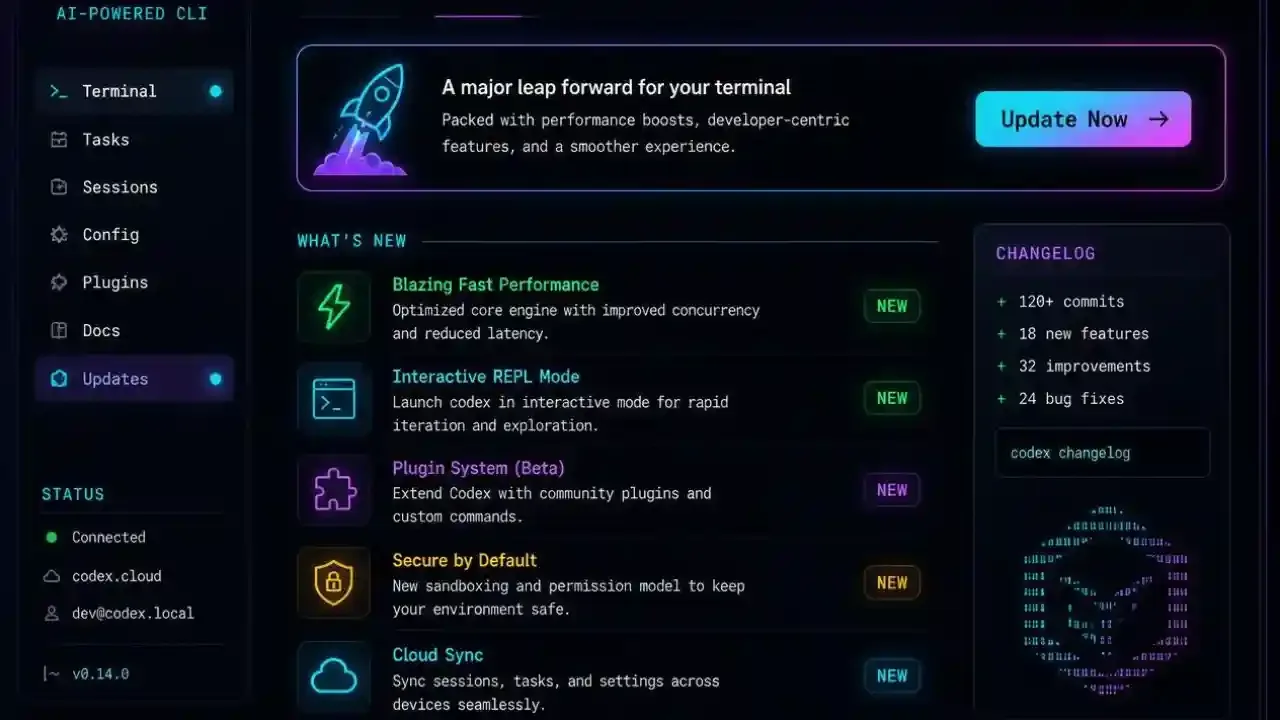
Codex CLI Update: What's New in v0.160 (Oct 2026)
Codex CLI has shipped a quick run of releases in the last two weeks, and a few of them change how you use it day to day. Here is everything you need to know, without digging through the changelog.
What Changed, At a Glance
| What you want to know | Short answer |
|---|---|
| Latest version | v0.160.x (v0.160.1 on Oct 5) |
| Default model | GPT-6.1 Sol (since v0.159.1, Sept 29) |
| Biggest new feature | Instant interrupt, steer Codex while it is answering |
| Windows fixes | Yes, console window flashing and MCP environment bugs |
| Do I need to reinstall? | No, just update the package |
New to the tool? Start with our Codex CLI setup guide first, then come back here.
What's New in the Latest Codex CLI Versions
Instant interrupt
Added in v0.159.0. When you turn on the instant_interrupt option, you can type new input while Codex is still working and it will use that to steer the response, instead of making you wait or cancel. For long tasks this saves a lot of restarts. It is opt-in, so nothing changes until you enable it.
GPT-6.1 Sol is now the default model
From v0.159.1, GPT-6.1 Sol is the default model in the bundled model catalogs, including Amazon Bedrock. You can still switch models inside a session with /model. If your results feel different this week, this is the first thing to check.
Guardian reviews and command center history
v0.160.0 improves the opt-in Guardian review feature, which can pull in earlier instructions and context when work is handed between agents. It also adds history browsing in the agent command center, plus keyboard navigation and projectless sessions.
Smaller changes worth knowing
- A compact welcome screen and better Mermaid diagram rendering
- Copy-on-select setting and OAuth client secret support for MCP servers
- Stronger security for MCP and WebSocket connections
- Terminal approval is on by default for elevated permissions
- Optional reminders to finish account security setup if you sign in with ChatGPT
- Removed: automatic follow-up prompt suggestions and the bundled plugin-creator skill
Windows Users: What Got Fixed
Two Windows fixes landed back to back. v0.159.2 stops console windows from flashing when Codex starts background processes and sandboxed commands. v0.160.1 fixes the Windows remote MCP environment so it keeps its settings. If you saw odd pop-up windows or broken MCP tools on Windows, update first and test again.
How to Update Codex CLI
If you installed with npm, run:
npm install -g @openai/codex@latest
codex --version
If you used Homebrew or the standalone installer, re-run the same install command you used originally. After updating, codex --version should show 0.160.x or newer.
If something breaks after the update, our guide to Codex database and state errors covers the most common fixes.
Codex Usage Limits by Plan
With a new default model, many people are asking how much they actually get. Per OpenAI's pricing page at the time of writing:
| Plan | Price | Codex access |
|---|---|---|
| Free | $0 | Basic Codex use |
| Go | $8/month | Lightweight coding tasks |
| Plus | $20/month | Multiple coding sessions per week |
| Pro | From $100/month | Higher limits (tiers at $100, $200, $500) |
| Business | $20/user/month (annual) | Team access with admin controls |
For Plus and standard Business, OpenAI lists these local message estimates per five-hour window:
| Model | Messages per 5 hours |
|---|---|
| GPT-6 Astra | 5 to 45 |
| GPT-6.1 Sol | 15 to 160 |
| GPT-6 Luna | 350 to 3,000 |
Limits depend on task size and whether you run locally or in the cloud. Fast mode uses 2.5x of your included limit, and GPT-6 Astra Ultrafast uses 8x. Pricing and limits change often, so check OpenAI's pricing page before you plan around them.
Which Model Should You Use in Codex?
A simple rule of thumb from the numbers above: use the default Sol for everyday coding, move to Astra only for hard problems that justify the smaller message budget, and use Luna for quick, cheap edits where you will send many messages.
Want to see what Codex can do once it is set up? Read how Codex can replace routine junior developer work, or check out the new record and replay feature.
FAQs
What is the latest Codex CLI version?
As of October 6, 2026, the latest release is v0.160.1 (Oct 5). Run codex --version to see what you have.
How do I update Codex CLI?
For npm installs, run npm install -g @openai/codex@latest. For Homebrew or the standalone installer, re-run your original install command, then check the version.
What is the default model in Codex CLI now?
GPT-6.1 Sol, since v0.159.1 on September 29. You can change it any time with /model.
What does instant interrupt do?
It lets you type new input while Codex is still responding, and Codex uses it to steer the answer. It is an opt-in setting called instant_interrupt.
Is Codex CLI free?
The CLI is free and open source. Usage comes through your ChatGPT plan or API billing, and limits depend on your plan and model.

Sia is the co-founder of Corenexis and one of the earliest voices shaping its editorial direction. With years of hands-on experience covering AI and technology, she has been writing about the digital world long before it became everyone's favorite topic — and she still does it better than most.
View all posts by Sia →

0 Comments
Community guidelines
We want the comments to be useful for every reader. Every comment is reviewed before it is published. A comment will not be approved if it is:
Keep it genuine and on-topic and it will be approved quickly. Thank you for helping keep the discussion clean.